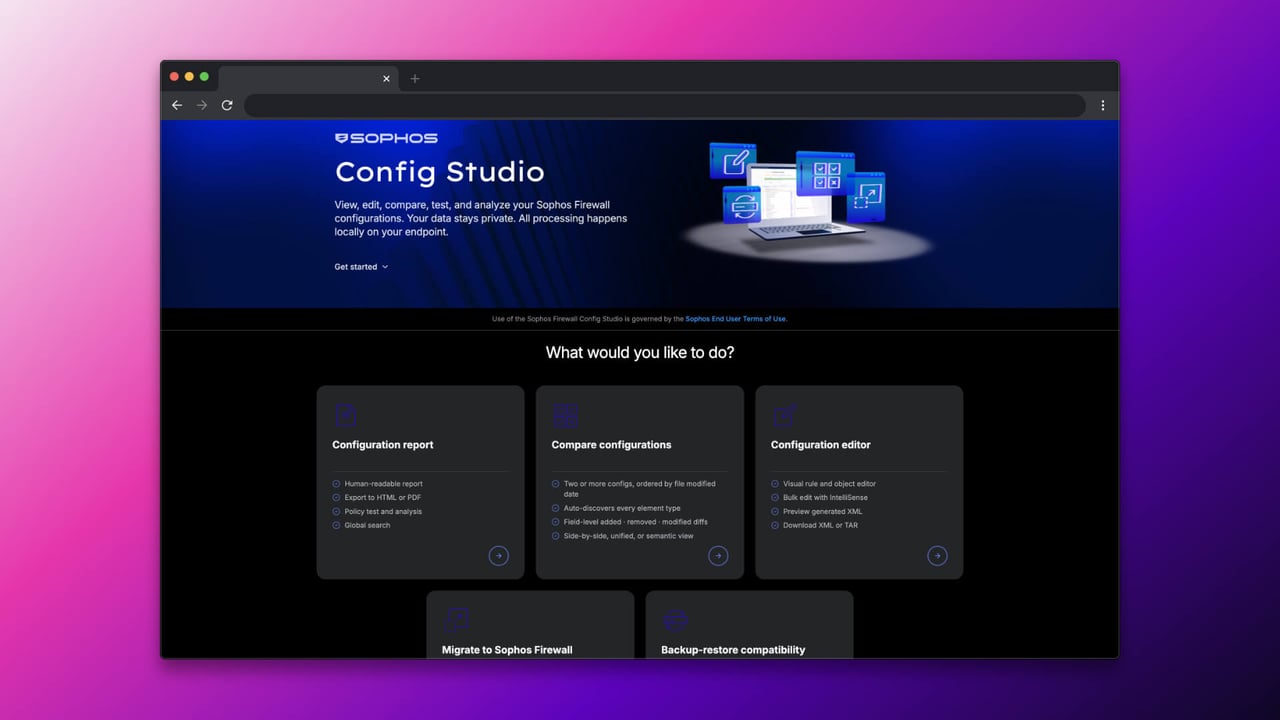
Sophos Firewall Config Studio 2.6: Migration Built In
When we wrote about the SonicWall Migration Tool a while back, and later about the Fortinet Migration Tool, these were still two separate tools gated behind the Partner Portal: a 2.5 GB OVA file for SonicWall, a standalone Migration Assistant for Fortinet. With Sophos Firewall Config Studio, and specifically with the current version 2.6, that has changed fundamentally: the migration function is now built directly into the tool, with no separate download and no Partner Portal gating.
For us, that means the two old blog posts about the dedicated migration tools are no longer the best entry point given the current state. If you want to migrate from Fortinet or SonicWall to Sophos Firewall today, you should start with Config Studio.
What has changed
Sophos describes it this way in its own partner news: Config Studio “now includes the migration assistants previously gated behind the Partner Portal.” That’s the key sentence. What used to be a separate download with its own approval process is now a menu item in a tool that’s already used for configuration comparisons and reviews.
Config Studio supports importing configurations from:
- Sophos UTM
- Fortinet (FortiGate)
- SonicWall
- Palo Alto Networks
The usual suspects get migrated: network objects, firewall rules, NAT rules, static routes, and other basic configuration elements. What still isn’t automatically carried over is essentially identical to what the old standalone tools didn’t migrate either: users, groups, authentication methods, VPN configurations, dynamic routing, admin settings, Wi-Fi, certificates, and passwords. If you’re expecting an automatic complete takeover here, you’ll still be disappointed — that was never the promise, neither with the old Migration Assistant nor now with Config Studio.
What is new is that Config Studio now gives you a clear overview after the import of what was successfully migrated and what needs manual follow-up. That replaces the previous guesswork about which rule actually imported cleanly and which one you have to rebuild by hand.
What else Config Studio 2.6 brings
Besides the migration integration, version 2.6 has a few detail improvements that make everyday use of the tool more pleasant:
- Merging configuration templates: Baseline configurations can be combined with industry-specific templates, for example for Education, Retail, or Manufacturing. That’s a sensible starting point for a rebuild instead of a completely empty configuration.
- Enhanced global search: Configuration objects can be found with a single click directly in the relevant rule or policy, instead of clicking through nested menus manually.
- Better configuration reports: Referenced object values are now shown directly in firewall, NAT, and TLS rules, not just as a name without context.
- Comparing multiple configuration files at once: A diff across multiple points in time, not just between two states. Useful when you want to trace exactly when a rule changed.
- Backup-restore compatibility and Flexi module reference: Verification tools for hardware compatibility and port assignment before restoring a backup onto different hardware.
- Dark mode: Not a feature in the strict sense, but not the worst addition during hours-long config reviews.
What this means for the old migration tool posts
The SonicWall post and the Fortinet post stay online, because the fundamental considerations around migration planning, the configuration parts that aren’t carried over, and the follow-up work involved remain valid. What has changed is the technical path to get there: instead of downloading a separate OVA or requesting a gated Migration Assistant, Config Studio is now the right entry point for all four supported source platforms.
For the practical use of Config Studio, including Configuration Report, Configuration Compare, and Configuration Editor, Using Sophos Firewall Config Studio remains the right KB article.
Fast tool, slow firewall
What strikes me about the update cadence: Config Studio has been moving forward remarkably fast since launch, from V2 to 2.5 to now 2.6, with modern workflows like multi-file diff, template merging, and dark mode. It almost feels like this is being built with modern, AI-assisted development methods, in the sense of “vibe coding,” where a lean tool iterates quickly and feedback flows straight back in. Great for Config Studio, but a bit of a shame for the firewall itself: Sophos Firewall’s WebAdmin interface moves in much smaller steps by comparison. Cloning and grouping NAT rules has been on many admins’ wish list for years, a genuinely well-thought-out responsive design is still missing, and the GUI still feels sluggish rather than smooth, especially with large rule sets.
That leaves the impression that right now it’s easier to keep developing a lean, new companion tool than to tackle the WebAdmin itself, grown over many years. That’s understandable from a development standpoint — reworking a mature system is far more effort than building a new tool from scratch. But from an admin’s perspective, the hope remains that some of this pace of innovation eventually reaches the firewall GUI itself, not just the tools around it.
Conclusion
Moving the migration function from separate, partner-gated tools into one central, freely accessible tool is a logical step. If you’re planning a migration from Fortinet, SonicWall, Palo Alto, or UTM to Sophos Firewall today, don’t look for a dedicated migration tool anymore — start directly with Config Studio. The limits remain the same as before: automated migration doesn’t replace a thorough review, especially for VPN, authentication, and admin settings. But the path there is now shorter and accessible to every partner without an extra approval process.
Our engineers are happy to support any migration to a Sophos Firewall, including the follow-up work no tool handles automatically. Contact us