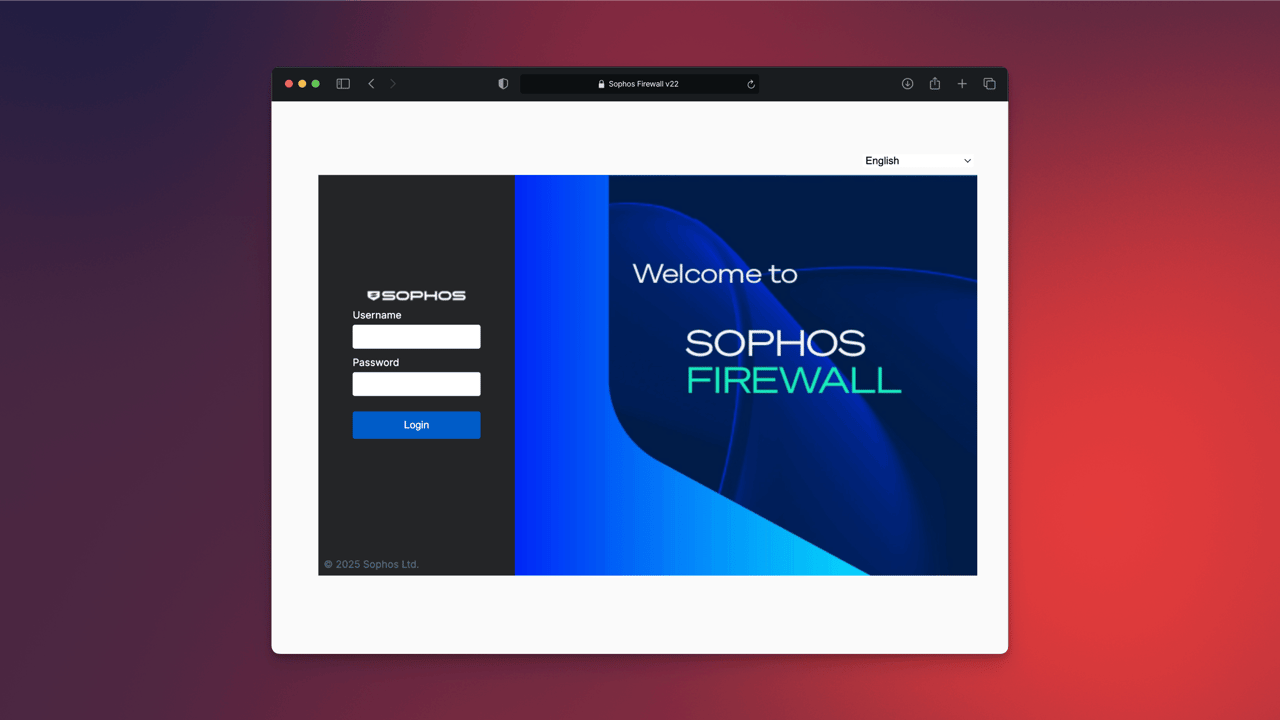
Sophos Firewall v22: Overview and all new features
Sophos Firewall v22 focuses on hardening, clear visibility, and stable operations. The modernized Xstream architecture, a hardened kernel, and new operational features help reduce attack surfaces and simplify administration. This post explains all new features in SFOS v22.
Health Check
The Health Check is the built-in configuration assessment in Sophos Firewall v22. Its goal is to surface misconfigurations early, before they become a security or operational problem. It addresses the growing threat landscape for internet-exposed infrastructure and follows the Secure by Design approach described in CISA guidance. Across several releases, Sophos has hardened the firewall, simplified patching, and improved detection during active attacks. One differentiator is over-the-air hotfixing without downtime, combined with Sophos’ active monitoring of the installed base to detect early indicators of attack.
What the Health Check is intended for It evaluates dozens of settings against CIS benchmarks and established best practices. Typical checks include outdated or insecure TLS ciphers, overly broad admin and user policies, unused or overlapping rules, unnecessarily exposed services, and baseline hardening such as time settings, authentication, and logging. Sophos Firewall v22 therefore makes it easier to maintain strong policy hygiene and eliminate unintended weaknesses.
How the Health Check works A dashboard widget in the Control Center shows the status. Clicking it opens the detailed view, which is also available from the main menu under “Firewall health check”. Results are prioritized, explained, and linked directly to the relevant settings page. This makes deviations easier to fix without having to search through the interface.

How to use the Health Check in operations Run it before go-live events, after policy changes, after firmware updates, and on a regular schedule. It serves as objective validation in CAB processes and provides audit evidence for ongoing policy hygiene.
The Health Check covers configuration quality, not hardware health. It does not check whether internal databases are consistent or whether RAM or the SSD show write errors. A visible health indicator in the GUI would be useful here as well.
Health Check: checks in detail

The Health Check lists all assessed items in the dashboard, similar to a security audit. Each item shows the module, standard, severity, status, and a direct action. This makes it clear at a glance which configurations deviate from best practices. A selection of the most important checks:
- Synchronized Application Control should be turned on.
- NDR Essentials should be turned on and at least on one interface selected.
- Sophos X-Ops should be turned on. An Action should be set to Log and drop.
- MDR threat feeds should be turned on. An Action should be set to Log and drop.
- A firewall rule should have Synchronized Security Heartbeat settings.
- Security Heartbeat should be turned on.
- Login disclaimer should be turned on.
- Hotfix settings should be turned on.
- Remote sessions should be signed out. Sign-ins should be blocked for the specified unsuccessful attempts.
- Password complexity should be configured for users.
- Password complexity should be configured for administrators.
- DNS Protection should be configured and have an active status.
- MFA should be configured for remote access VPN (IPsec and SSL VPN) sign-ins.
- MFA should be configured for web admin console and VPN portal sign-ins.
- The firewall’s connection with authentication servers should be encrypted.
- Backups should be scheduled.
- Public key authentication should be configured for SSH access to the firewall.
- User portal shouldn’t be accessible from WAN.
- Web admin console shouldn’t be accessible from WAN.
- MFA should be configured for the default admin.
- Notification emails should be configured for system and security events.
- Automatic update should be turned on for pattern download and installation.
- A Web policy should be selected in a firewall rule.
- Zero-day protection should be selected in a firewall rule.
- Intrusion prevention should be turned on. An IPS policy should be selected in a firewall rule.
- An Application control policy should be selected in a firewall rule.
- An SSL/TLS inspection rule should have Action set to Decrypt.
- A firewall rule with Action set to Allow shouldn’t have all the network and service settings set to Any.
- Sophos Central reporting should be turned on.
- The firewall should send its backups to Sophos Central.
- The firewall should be registered for Sophos Central management. Sophos Central management should be turned on.
- NTP server should be configured.
This list shows that the Health Check covers both technical configurations and organizational security policies.
Some points are undoubtedly useful; others are open to debate. For example: “Login disclaimer should be turned on”. Such a notice improves security only to a limited extent. Hardly anyone reads it, and in practice it is usually clicked away. It can, however, meet legal requirements in certain environments, for example as terms of use or a liability disclaimer. From a purely technical security perspective, it is barely a protection mechanism; it is more of a formal control that signals security awareness.
You can manually override the status of individual checks. This allows an item to be marked as “Complies” even if it is not technically fulfilled. A ⚠️ symbol then appears to indicate the overridden status. This preserves transparency while still leaving room for administrative decisions.
It is also noticeable that some checks are closely tied to Sophos Central, MDR, NDR, or DNS Protection. From Sophos’ perspective, this is of course also a form of cross-selling because it highlights the value of its own ecosystem integration. Nevertheless, many of these recommendations provide real value, for example through consolidated management or automated alerting.
Next-Gen Xstream Control Plane
With Sophos Firewall v22, Sophos has fundamentally evolved the Xstream Architecture. The original concept was introduced in version 18 to make full use of XGS hardware performance. The new generation aims for much more than performance alone: security, stability, and future readiness are now at the center.
A new foundation for security and scalability
The revised Control Plane has been completely redesigned. Instead of a monolithic system, Sophos now uses a modular framework in which core services such as IPS, Web Filter, and SSL Inspection run isolated from one another. Each service behaves like its own app inside the firewall and can be managed or restarted independently. As a result, other services remain stable even if one module behaves incorrectly or crashes.
From a security engineer’s perspective, this is a crucial step. The architecture minimizes dependencies and reduces the impact of potential exploits on individual components. At the same time, it creates the basis for Zero Trust isolation within the system, a concept previously associated more with modern cloud platforms.
Independent of hardware and environment
A major advantage of the new Xstream architecture is its independence from proprietary hardware. Unlike many competitors, Sophos Firewall v22 is not based on special ASICs or fixed-function chips. The architecture runs consistently on physical hardware, virtual machines, and cloud environments. This ensures consistent behavior across all platforms and makes operational automation easier.
Improved high availability with self-healing
The new self-healing logic in HA clusters is also important. The Control Plane continuously monitors the state of both systems and automatically corrects deviations. If differences in configuration or synchronization status are detected, the firewall initiates a correction on its own. This reduces error conditions, lowers maintenance effort, and noticeably improves availability. In practice, that means fewer unplanned restarts and more stable cluster performance.
Technical perspective and future
The new Xstream architecture lays the foundation for future features such as n-node clustering, fully containerized security services, and a full REST API for remote management and automation. Sophos Firewall v22 is therefore clearly moving toward a platform architecture that resembles modern cloud principles: service-based, dynamic, and security-centric.
From a professional perspective, this redesign is more than a technical update. It changes how firewalls will be built in the future: away from monolithic appliances and toward flexible, service-oriented infrastructure that can adapt quickly and be managed automatically. For operators with high requirements for uptime, compliance, and scalability, this is a decisive step forward.
I completely agree: the shift back toward CPU-based processing makes strong technical sense. Not all XGS appliances have an NPU for traffic acceleration, and virtual firewalls were always at a disadvantage here. With the new architecture, performance is again shifted more strongly toward modern CPUs, which creates consistent behavior across all platforms. On older XGS desktop models, the combination of CPU and NPU was also thermally demanding and led to higher noise levels. The newer generations are significantly quieter because this dual-processor load is gone. Anyone who remembers the comparison understands why the return to CPU optimization makes sense both strategically and practically.
Hardened Kernel 6.6+
Sophos Firewall v22 uses a modernized Linux kernel (v6.6+) for improved security, performance, and scalability. Key aspects include stricter process isolation and comprehensive mitigations against side-channel attacks and CPU vulnerabilities such as Spectre, Meltdown, L1TF, MDS, Retbleed, ZenBleed, and Downfall. Hardened usercopy, Stack Canaries, and Kernel Address Space Layout Randomization (KASLR) are also enabled. This reduces the exploitability of memory errors, stabilizes runtime behavior, and strengthens the foundation of the Xstream architecture.
Remote Integrity Monitoring
Remote Integrity Monitoring in SFOS v22 complements kernel hardening with continuous monitoring of system integrity. Put simply, it checks in the background whether something changes on the firewall that should not change. The built-in Linux sensor for XDR records security-relevant events at system and service level, for example when an unknown process starts, configuration files are changed, rules are exported, or critical files are modified.
This information is sent to Sophos Central together with the time, user, and source. There, it can be correlated with other data, for example from endpoints, email gateways, or identity services. This enables administrators to detect unusual behavior faster and respond in a targeted way before it becomes a larger problem.
For day-to-day administration, this means that if someone tries to change something on the firewall unnoticed or manipulate a file, the activity is detected and reported. The feature helps uncover silent attacks or misconfigurations early without requiring constant manual checks. At the same time, it helps Sophos centrally monitor the behavior of installed firewalls and identify patterns or potential security problems.
Active Threat Response (Threat Feeds for WAF and NAT)
With feature request SFSW-I-2618, a long-requested behavior has finally been implemented. Threat Feeds are dynamic lists of known malicious IP addresses that are continuously updated by threat intelligence providers like us (Avanet Threat Feeds). They are used to proactively block attacks from the internet before they even come close to a service.
Until now, however, these feeds were used only to protect Sophos portals. NAT and WAF rules were unaffected, which from a practical perspective looked less like a missing feature and more like a bug.
With Sophos Firewall v22, this limitation has now been removed. Threat Feeds are automatically applied to NAT and WAF rules as well. This means that as soon as a connection from an IP address in a feed is detected, the firewall blocks it automatically, including for port forwards and web server rules. Separate rules or workarounds are no longer required.
This change is a major step forward because Threat Feeds now also protect production services such as web servers and directly contribute to attack detection and prevention. The firewall responds to current threats in real time without manual intervention. It is a small but technically meaningful detail that clearly increases the security value of Sophos Firewall v22.
NDR Improvements
For outbound traffic, source IP matches with NDR Essentials and external feeds are supported to identify and block compromised, unmanaged devices. The NDR Essentials Threat Score appears directly in the logs. Since SFOS v21.5 MR1, the NDR Essentials data center region can also be selected explicitly; by default, the region with the lowest latency is used.
API Access Control

Access to the management API can be restricted to explicit IP objects. Up to 64 entries allow clean separation between automation workers, management networks, and external partner access. During change windows, access can be temporarily expanded and then reduced again. Recommendation: allow access only from dedicated management networks, enable logging, and review access regularly. Configuration is handled in SFOS v22 under Administration. The practical hardening workflow is described in securing Sophos Firewall XML API access.
Firmware updates via SSL with certificate pinning
SFOS v22 validates update servers using SSL and certificate pinning. This reduces the risk of manipulated update infrastructure. In environments with strict egress policies, the destination FQDNs should be included in allowlists so that updates work reliably.
HTTP/2 and TLS 1.3 for Device Access
The Web Admin Console, VPN Portal, and User Portal now use HTTP/2 and TLS 1.3. These technologies make connections faster to establish, more stable, and better encrypted. The difference is most noticeable during login and page loads in the Web Admin interface, which respond noticeably faster.
HTTP/2 bundles multiple requests into one connection, reducing waiting time between client and server. TLS 1.3 provides modern encryption with a shorter handshake and stronger security. In older network environments where legacy firewalls or proxy systems are still in use, compatibility should be checked before activation.
Monitoring with sFlow and SNMP hardware metrics
sFlow enables traffic sampling to central collectors so that traffic spikes, unexpected flows, and anomalies can be detected in real time. The default sampling rate is 400, with a minimum of 10. Up to five collectors are supported. sFlow can be enabled on physical interfaces, aliases, and VLAN interfaces. Note: FastPath is disabled on the monitoring interface. SFOS v22 also provides SNMP hardware metrics such as CPU and NPU temperature, fan speeds, power supply status from XGS 2100 onward, and PoE power values for all XGS models with PoE except XGS 116(w). A MIB file can be downloaded directly from the UI. Sampling and polling intervals should be chosen so that core links remain visible without overloading the collector.
Better usability and search
With SFOS v22, the interface is intended to respond significantly faster. When switching between menus and tabs, you no longer have to wait for the entire page to reload.
In my tests, I did not notice any improvement. Still, it is good to see work being done on user interface performance. There is still considerable potential here, especially when saving firewall rules or loading interface views, where delays remain noticeable.
XFRM interfaces can now be filtered and searched directly in the interface. When there are many entries, they are automatically paginated, which significantly improves visibility and management in large IPsec setups.
Smaller improvements are also noticeable in daily use: the NTP server settings are now set to “Use pre-defined NTP server” by default.
UTM-like features in SFOS
For anyone who has not yet migrated from SG UTM to SFOS, version 22 adds previously missing functionality. This includes MFA support in the WAF, modern OTP algorithms such as SHA-256 and SHA-512, and Audit Trail logs with before/after views. These enhancements close important gaps compared with the former UTM and make migration significantly easier. If you are still hesitating, SFOS v22 now offers almost all familiar features with modern technology and better integration.
Audit Trail Logs in detail
Phase 1 records every change to firewall rules, objects, and interfaces. The logs can be downloaded and clearly show exactly what changed, including the values before and after the adjustment. The practical workflow with configuration-audit.log, Device Console commands, and download via Troubleshooting Logs is described in checking Sophos Firewall Audit Trail logs. This improves traceability and saves time when analysing changes.
Instant Web Category Alerts

Automatic notifications can be configured for restricted web categories. These messages report access attempts to blocked websites at short intervals, for example every five minutes. Each message contains details such as time, user, category, and requested domain. This increases transparency and makes it easier to investigate repeated attempts to access unauthorized sites. The feature is particularly helpful in environments with clear policies, such as schools or organizations with fixed internet rules. Violations are documented automatically and can be reviewed when needed.
Upgrade to SFOS v22: Paths, Duration, and Notes
SFOS v22 brings deep changes to the system architecture. As a result, the firmware requires slightly more space in the root partition. For most devices, around 98 percent, the upgrade runs automatically and without intervention. Models from XGS 2100 onward already have enough storage and update directly.
For XGS desktop and virtual models with a smaller 1 GB partition, the partition is expanded automatically during the upgrade. As a result, the process takes a little longer, usually between two and ten minutes. Only a few systems, around three percent, require manual preparation, for example deleting old reports or logs to free up enough space.
Devices with older SSD firmware must update it first before upgrading to version 22. Very old virtual installations that still use small disks or older SFOS versions before version 18 require additional steps. In some cases, an intermediate update to version 21 MR2 is required before the upgrade can succeed. If the disk is too small, the only option is a new installation with a larger disk.
Instructions for all required steps appear automatically in the firewall interface through messages in the Control Center, by email, and through warning symbols in Sophos Central. These also show a reference code that links directly to the appropriate Knowledge Base article. After successful preparation, the warning disappears within about an hour. Additional CLI commands are available for diagnostics.
Conclusion
Sophos Firewall v22 makes a strong impression with a noticeably stronger security foundation, a modular structure, and more stable operation. The Health Check is a well-designed tool that helps systematically review configurations and follow best practices. The new Control Plane enables smoother upgrades and greater reliability in day-to-day operations. Modern protocols and expanded telemetry make analysis and troubleshooting significantly more efficient.
We are pleased with the clear progress in Sophos Firewall v22, but we still want Sophos to work on cloning and grouping NAT rules in the same way firewall rules can be handled. About a year ago, we collected and published our feature requests. Since then, a lot has improved, but from our perspective some features are still missing. We hope they will be implemented in future versions.
FAQ
When will Sophos Firewall v22 be available as GA?
What is the new Health Check and what is it used for?
What has changed in the Xstream Architecture?
Why is CPU-based processing now better than the NPU solution of the older XGS series?
What are the benefits of the new kernel (version 6.6+)?
What's new with Threat Feeds?
How does the upgrade to SFOS v22 work?
Are there new monitoring features?
Further Links
- Avanet: Threat Intelligence Feeds for Sophos Firewall
- Sophos News: Sophos Firewall v22 Early Access
- Sophos Community: SFOS v22 EAP Announcements
Sources
- Sophos Firewall OS v22 Key New Features
- Sophos Firewall v22 is now available in early access, Sophos News
- Sophos Firewall v22 EAP is Now Available, Sophos Community, 15.10.2025,