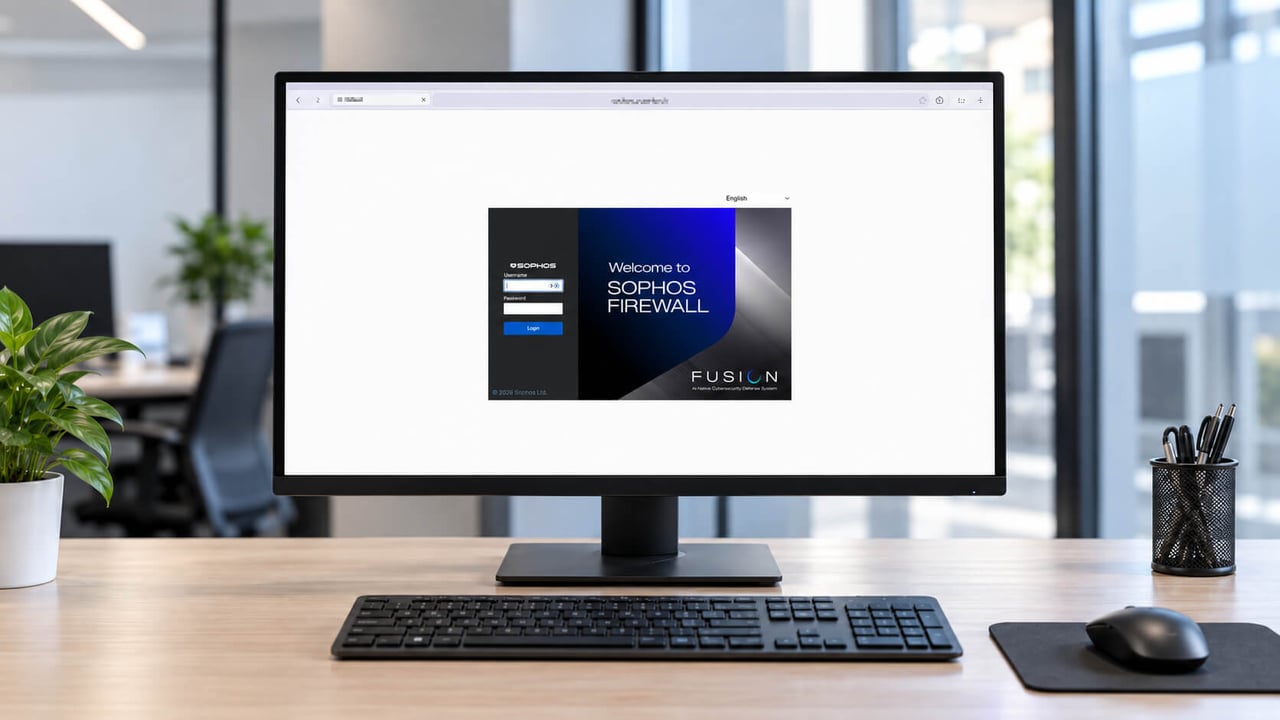
Sophos Firewall v23: overview and all new features
Sophos Firewall v23 addresses several tasks that consume time in day-to-day firewall administration: searching rules, identifying users correctly, planning updates and finding out why a cluster failed over. The new major version introduces a REST API and an AI assistant, as well as enhancements to the WAF, DNS and DHCP.
Release status: As in previous years, the next major version starts with a Sophos Firewall v23 Early Access phase around October, beginning on 28 September 2026 this year. This article is based on EAP1. Individual features and details may still change before the final release. One current restriction matters for the test path: upgrading from SFOS 22.0 MR3 Build 576 to 23.0 EAP1 is not possible. Before a v23 pilot, check the exact source and target builds. The SFOS 22 upgrade check explains the version path and other blockers.
Some new features are available directly on the firewall; others require Sophos Fusion or additional software. One requirement matters particularly for planning: the new user identification through Synchronized Security requires Sophos Endpoint on the relevant devices and a suitable Endpoint licence. Organisations currently using only Microsoft Defender or another endpoint protection product will not get this function merely by updating the firewall. They would need to introduce and licence Sophos Endpoint as well. For organisations with existing Sophos licences, the additional effort depends on their current agreement. We explain the requirements for the other features in the relevant sections.
AI and automation
REST API: automate firewall configuration
The new REST API lets scripts and management tools read and modify configuration directly on the firewall. Authentication uses API keys. An OpenAPI 3.0 specification documents the available calls and data fields, making it easier to integrate the interface into existing tools. Access is to the firewall itself and is independent of the Sophos Central API used for configuration exports and imports.
Distributing shared settings across multiple firewalls was already a central idea of Sophos Central Firewall Management. Firewall groups and higher-level policies are intended to make such changes centrally manageable. In our experience, however, this only partly works as needed for dependable operations. For recurring changes, we therefore prefer our own scripts and processes, whose execution and results we can control ourselves. The new REST API is a useful addition for precisely this purpose.
Consider network objects for a new server that are needed on firewalls at several sites. A script can first check whether an object already exists, make only the necessary change, and then read the saved value back. Its log shows which firewalls were updated successfully and where further work is required. This is especially useful if a site is unreachable during the change and needs to be updated later.
API keys are managed under Administration > API access. They inherit the permissions of the associated administrator. An automation should therefore use a dedicated account with an appropriate permission profile. The allowed source addresses and management access must also be configured correctly. Access should be limited to the systems that actually need it for management tasks.

Allowed IP hosts: Even in v23, this setting only accepts IP addresses or networks. An FQDN, meaning a fully qualified DNS name, is still not supported. That poses no problem for an automation server with a fixed outbound IP address. But if a script runs behind an internet connection whose public IP address changes, its DNS name cannot simply be entered as an allowed source. A fixed egress point or a controlled VPN connection is needed instead, for example. We would have liked more flexibility here, particularly for an interface designed to facilitate automation.
The REST API guide opens in the WebAdmin interface under Administration > API access. Its link is above the API key list on the right, immediately beside OpenAPI.yaml. The public Sophos Firewall API Reference describes the endpoints, data fields and authentication basics. For an actual implementation, the OpenAPI file from the installed firewall build is authoritative. Before replacing existing XML automations, administrators should check whether the required functions are fully covered. Error handling, logging and a tested rollback path remain necessary with a modern API.
AI assistant for firewall rules
The new assistant in Sophos Fusion answers questions about firewall rules. It places draft rules at the bottom of the table in a disabled state; approval remains with the administrator.
That is a sensible way to work with AI. A request such as “Create a draft allowing HTTPS access from the employee network to the internal web server” can save preparatory work. Before activation, however, the administrator still needs to establish exactly which objects are meant, whether access should be restricted to particular users and which security checks are required.
Rule position is especially important. A technically correct allow rule may have no effect if another rule matches first. Conversely, placing a broad rule too high can permit more traffic than intended. The assistant therefore does not make the security decision for the administrator. Its value lies in preparing work on the rule set and helping to find relationships.
Allow or block AI services selectively
The Generative AI web category and application filters associated with Sophos AI Defense provide new ways to control AI usage.
Sophos AI Defense has been generally available since 13 October 2026, but is a separate paid add-on for qualifying EDR, XDR and MDR customers. A firewall update to v23 or a visible Generative AI category alone does not confer this entitlement. The documented setup requires a Fusion account upgraded to Security Operations and Sophos EDR Endpoint Protection. Integrating a firewall also requires group management and web policy logging; selecting a data source does not yet prove effective enforcement. Our Sophos AI Defense guide explains entitlement, sensor requirements and pilot validation.
Under Diagnostics > URL category lookup, administrators can look up how a domain is categorised. For openai.com, the firewall shows Generative AI. This is useful in troubleshooting: if an AI service is blocked unexpectedly, its category can be checked first, followed by the applicable web policy.

For a business, a useful configuration begins with a straightforward decision: which AI services are approved for which work? A development department may need different tools from the accounts team. Only then can an effective network policy be defined.
Allowing a domain, however, says nothing about what information may be entered there. Access control and data protection are separate tasks. Even for an approved service, rules are needed for customer data, source code and confidential documents. Network filters can support those organisational requirements, but cannot replace a review of the content of every prompt.
Rule management and usability
A new table for firewall rules
The view under Rules and policies > Firewall rules has been thoroughly redesigned. Instead of expandable folders, Sophos now displays the rules in a continuous table. Grouping remains available but appears in the Group column. There is also free-text search, filtering and a customisable set of columns.
This fixes a frustration in the previous interface: after editing and saving a firewall rule, its group collapsed again. To edit the next rule in the same group, the folder had to be reopened. That was needlessly cumbersome when making several changes in succession. Showing group membership in a column removes the repeated expanding of folders.

Choose and arrange columns
The cog above the table on the right controls which columns are displayed. Unneeded information can be hidden, additional details shown and the column order changed. Columns can also be frozen. The rule name, for example, can remain in view while scrolling across a wide table.
Particularly welcome: in our test, the chosen view was preserved after logging out and back in. There is no need to rebuild a useful overview at every login.

For a quick overview, name, group, action, status and traffic are often enough. During troubleshooting, source and destination networks, services and logging become more relevant. If access to an old application server needs to be removed, for instance, it helps to see the destinations of the affected rules side by side. Not having to open every rule individually saves time and makes comparisons easier.
The following columns are available. Their names match the English interface; they are grouped here by topic for readability:
- Rule and overview: Name, Type, Group, ID, Features, Traffic (In/Out), Status, Action, Schedule, Description.
- Networks and services: Src networks, Src zones, Dst zones, Dst networks, Services.
- Users and logging: Users, Exclude users from accounting, Web authentication for unknown users, Log.
- Protection features and policies: Email, Web policy, IPS policy, Application policy.
- Bandwidth and prioritisation: Traffic shaping policy, Traffic shaping (applications), Traffic shaping (web category), DSCP marking.
- Security Heartbeat: Source HB, Block client with no source HB, Destination HB, Block client with no destination HB.
- Exclusions: Excluded source address, Excluded destination address, Excluded source zone, Excluded destination zone, Excluded service.
The old view remains available for now
The New design switch still allows a return to the previous view. Anyone who cannot get on with the new table has an alternative for the time being. How long Sophos will offer both views in parallel remains unclear.
NAT rules: still no grouping or cloning
Unfortunately, Sophos has not brought the new view to NAT rules. They are still handled differently in v23: NAT rules can neither be grouped nor cloned. Firewall rules can be cloned, but that feature remains absent for NAT rules.
It would be particularly useful when publishing several similar services. If another web server needs almost the same forwarding rule, an administrator would ideally copy an existing NAT rule and then adjust its destination and service. Instead, the rule has to be created again. This takes time and increases the chance of an unintended difference in another setting.
We raised these requests in our Sophos Firewall v22 article. The new firewall rule view is a welcome step forward. It is all the more disappointing that NAT management still lacks these basic usability features.
WebAdmin, serial number and cluster status
The WebAdmin interface uses HTTP/2 to speed up the transfer of page elements. The serial number and HA cluster status also remain visible when moving between settings pages.
HTTP/2 can help when loading many page elements, especially over higher-latency connections. Whether a particular view feels faster also depends on processing inside the firewall. A slow database query or the saving of a complex configuration will not become fast solely because of a different transport protocol. In my first test, the speed improvement was modest: saving a firewall rule still took several seconds.
The visible device identity offers an immediately understandable benefit. With several firewall sessions open, it is easier to check which system is being worked on. Before changing an HA cluster, it is also worth checking the roles and status of the participating devices.
Anyone supporting several nearly identical customer environments will know the moment of uncertainty before saving a change. An always-visible serial number makes it easier to cross-check the device against the ticket without leaving the current settings page. It is a small change with a very practical benefit.
High availability: detect failures faster and fail over deliberately
Hardware health as a trigger
In addition to connections and services, the HA cluster now monitors the health of certain hardware components, including the SSD. If its condition deteriorates, the cluster can fail over to the other firewall.
An HA cluster can only respond usefully if it detects a fault. A device may still be reachable through its network interfaces even though it already has internal problems. The additional view of hardware health therefore matters in operations.
A faulty SSD, for example, can impair writes while the HA link still works. Connection monitoring alone would not detect the disk’s condition. Additional hardware monitoring can act before a weakened node fails completely.
The cause should still be investigated after such a failover. The second node keeps the service running, but it does not repair the faulty SSD. The operational response therefore includes checking the affected device, assessing the remaining redundancy and replacing hardware if necessary.
Shorter failure detection window
The detailed HA setup documentation for SFOS 23 specifies a 100 ms keepalive interval and three attempts, giving a 300 ms heartbeat timeout instead of the previous four seconds. This setup default does not apply to every HA-link topology: with a LAG or VLAN over LAG as the Dedicated HA link, the timeout must be at least 2500 ms. This also includes the redundant LAG that QuickHA creates when multiple unbound physical ports are selected.
Before planning an upgrade, therefore check the actual HA-link topology and configured values on both nodes rather than setting an existing cluster to 300 ms indiscriminately. Set up Sophos Firewall High Availability explains the requirements and checks.
The 300 ms refers to the time it takes the firewall to detect failure of the other device in the cluster. Additional steps may be needed before an application works normally again: the remaining firewall has to take over, neighbouring network devices must forward traffic along the correct path, and existing connections must continue or be re-established.
A meaningful test should therefore observe more than a ping. An active phone call, file transfer and VPN connection reveal different effects. Only such measurements show whether failover is fast enough for an organisation’s own business processes.
Fewer false failovers under high load
The two firewalls regularly exchange brief status messages called HA heartbeats. These messages are now prioritised and processed separately from normal data traffic.
This addresses a problem under heavy load: when a system is busy, a delayed response can look like a failure. A failover triggered by that delay adds disruption to an environment that is already under strain.
Both scenarios therefore matter for acceptance testing: does the cluster detect a real failure, and does it remain stable under high load when neither device has failed? An idle functional test answers only the first half of that question.
DNS security, hotfixes and firmware
DNS over HTTPS and DNSSEC
The firewall can now send DNS queries to a resolver over encrypted HTTPS and validate DNS responses with DNSSEC. Sophos DNS Protection is also easier to activate.
The two DNS technologies solve different problems. DNS over HTTPS, or DoH, encrypts transport to the resolver. DNSSEC validates signed DNS data. An encrypted connection does not, by itself, establish the authenticity of a DNS response, while a valid signature does not conceal the query from observers along the transport path.
Before introducing them, it is important to understand the existing DNS path. Does the client query the firewall, an internal Windows DNS server or a public resolver directly? Internal namespaces must still be resolved in the right place. DNS Request Routes, for example, remain relevant for this purpose.
Browsers with their own DoH settings also deserve attention. If a client uses a different resolver, its actual DNS path may differ from the centrally intended configuration. A functional test should therefore cover internal names, external resolution and the desired filtering decisions.
Visible hotfix and security updates
While reviewing the interface, we noticed another change: there is again a dedicated hotfix area under Backup & firmware. The tab is called Hotfix: Security updates. Previously, the hotfix setting was in the Firmware area, where a checkbox determined whether important hotfixes should be installed automatically. After that setting disappeared from the interface, hotfixes now have a visible place again.
The new view shows the status of security updates. The previous on/off switch is not visible in the screen shown. Nor does the temporary absence of that setting mean that the firewall stopped receiving hotfixes: automatic installation remains a feature.

What hotfixes are for
Hotfixes are targeted corrections for urgent problems, particularly security vulnerabilities. They can be distributed outside regular firmware releases. An important fix therefore need not wait until the next maintenance release and the scheduling of a full firmware update within the organisation.
If, for example, a vulnerability is found in a management service, a suitable hotfix can correct the affected component. Automatic installation reduces the time between the fix becoming available and its application on the firewall. It is enabled by default and should remain on in normal operations. Hotfixes do not replace regular firmware updates, however: those also bring other bug fixes, component changes and new functions.
Check patch status directly
The interface now shows which vulnerabilities have been fixed by installed hotfixes. Each entry includes the CVE identifier, severity, installation date and a link to the corresponding security advisory. This information is also available in reporting.
It helps answer a common operational question: has a particular vulnerability already been addressed on this particular firewall? A firmware version number does not always tell the whole story if hotfixes have also been distributed.
When a customer asks about a new security advisory, the local status can be demonstrated more precisely. Rather than inferring protection solely from the firmware version, the relevant CVE and hotfix installation date can be checked and recorded in the ticket.
For documentation, the displayed patch status should be assessed alongside the relevant advisory. An installed fix answers whether the specific correction has been applied. It does not prove that the system as a whole is configured securely, nor that an earlier attack can be ruled out. Configuration review, log analysis and, if needed, an investigation are still required for those questions.
Recurring firmware updates
Sophos Fusion allows recurring maintenance windows in which firewalls automatically install new firmware versions. The devices need not all be updated at once. Selected firewalls can be updated first, with the remaining devices following later. Individual devices can have different settings, such as a site that needs its own maintenance window.
This is a Sophos Fusion feature; v23 alone does not guarantee the ability to upgrade. The firewall must be registered for management and reachable online; support and update entitlement and the supported upgrade path must match the target. Fusion can install only target versions in the Available to all phase. The recurring schedule must be explicitly enabled, and its times follow the time zone of each firewall. Staging helps control the sequence but does not replace application acceptance testing. The automated staging process does not wait for manual application acceptance testing; a suitable separate approval process must be planned for this. Scheduling recurring firmware updates explains the process and exceptions.
This is especially useful across multiple branches. For example, the firewall in a small office receives the update first. Its VPN connections, user logins and published services are then checked. Only after those checks succeed are the other sites updated. There is no need to start every installation individually, while control over the sequence is retained.
The person responsible for checking the results and stopping later updates if a problem occurs should be identified beforehand. Automatic installation does not replace a backup or a prepared rollback path. Our guides to firmware updates and backup and restore describe the necessary steps.
Identity and authentication
Entra ID with Synchronized User ID
Through Synchronized Security, the firewall can now also identify users who work with Entra ID. Devices joined to local AD and devices using a cloud identity can therefore operate together. The Entra path requires Sophos Endpoint 2025.1 or later, a suitable Endpoint licence and Entra ID authentication already configured on the firewall. Endpoint must transmit the signed-in user’s User Principal Name (UPN) through Security Heartbeat; older Endpoint versions do not send this attribute. A green heartbeat alone therefore does not confirm an Entra user mapping.
The practical question is how the firewall knows which user is behind a connection. An IP address alone is not always sufficient for a meaningful user-based rule. When moving from a local domain to a cloud identity, that association must continue to work reliably.
A typical case is a company that joins new laptops only to Entra ID while older devices remain joined to the local AD domain. The accounts team’s web policy should not depend on that technical transition: the user group is what matters. This continuity is important during a gradual cloud migration.
For planning, it is important to distinguish this feature from the existing Entra ID login at the Captive Portal. This is about integration with Sophos Endpoint. Simply having an Entra ID environment does not therefore provide the firewall with the required user identification. A pilot should check which user actually appears and which group rule then applies. Set up Synchronized User ID covers the complete workflow, identity requirements, limitations and negative authorization test.
Google Workspace as an identity provider
Users can sign in to the Captive Portal, VPN Portal, Sophos Connect and WebAdmin interface with their Google Workspace account. Google Workspace acts as the identity provider and can also require multi-factor authentication during sign-in.
For organisations that use Google as their central user directory, this is a valuable addition. Accounts and sign-in policies should, where possible, be maintained in the same place as other company access.
A school using Google Workspace, for example, does not need to maintain a separate set of firewall passwords for teachers’ VPN access. That reduces duplicate administration and makes it easier to secure sign-in through the central identity provider.
Successful authentication is only part of the integration, however. It must be followed by the right authorisation. A normal employee must not gain administrative access merely because SSO works. Testing therefore needs to cover user attributes, group assignments, permitted services and revocation of access together.
MFA enrolment by email
The firewall can send the QR code needed to set up multi-factor authentication by email. If enrolment is not completed within 24 hours, the unused code expires. On existing installations, the previous portal-based setup remains available initially.
This changes the onboarding process for new users. Email addresses and mail delivery should be checked before rollout. Otherwise, the first VPN login may become a support case even though authentication itself is configured correctly.
An enrolment QR code contains security-sensitive information, so the receiving mailbox must also be protected. The helpdesk also needs a clear process for expired enrolments and incorrect addresses. Sending a code again must not bypass verification of the requester’s identity.
Chromebook SSO
A new Chromebook extension can pass the user’s login to the firewall, so the user does not have to sign in again at the Captive Portal. The extension supports all SFOS versions that remain supported.
Repeated portal logins are particularly disruptive in schools. The decisive test there is not just the first successful login, but also what happens when users and devices change. Testing shared Chromebooks should confirm that an old user association is not reused after a user switch.
Because the extension is designed to work across versions, its introduction should be planned separately from a v23 upgrade. Rolling out a new client component and new firewall firmware at the same time makes faults harder to isolate.
Terminal servers: user mapping with XDR Sensor
A lightweight XDR Sensor can be used with Sophos Authentication for Thin Client, or SATC. It helps the firewall assign network traffic on a shared server to individual users and can operate alongside an existing endpoint protection product.
On a terminal server, many sessions share the same server IP address. An IP-based allow rule therefore cannot distinguish the accounts team from an external employee on the same host. User-based web or firewall rules need an additional way to associate traffic with users.
Being able to run a sensor alongside an existing protection product is interesting for mixed environments. It is not, however, a blanket compatibility guarantee for every combination. The licence, operating system and supported interoperability should be checked in advance. A functional test should include at least two users logged in simultaneously who receive different rules. Effects on the terminal server itself should be assessed separately from the firewall’s decisions.
WAF: more control over published applications
Different actions for each URL path
The Web Application Firewall gains actions per path: Protect, Block, Redirect and Passthrough. Passthrough is intended for WebSockets without WAF inspection.
Protect keeps a path under WAF inspection. Block rejects access with HTTP 403. Redirect sends the browser to another address. Passthrough is thus a deliberately chosen exception for the relevant WebSocket traffic, not another inspection stage.
This makes it possible to match the handling of an application more closely to its structure. Following a portal migration, /altes-portal could redirect to /kundenportal, while a retired area under /legacy is blocked with HTTP 403. The main application area remains protected by the WAF. Managing such decisions at the front-end access point can reduce changes needed on the backend.
Redirect targets must be precise. A wrong path can break login flows or saved links; a careless redirect can create loops. For an exception without WAF inspection, it must also be clear what protection remains on the application itself. A working connection is not proof of equivalent security inspection.
More paths and rules
Up to 128 paths are available per path entry. The WAF rule limit is 100 by default and can be raised to 200.
When planning, the rule limit and performance should be considered separately. Being able to configure more rules does not automatically mean an appliance can serve any number of active applications with the same response time. TLS processing, inspection, uploads and backend server speed all affect resource needs.
Useful acceptance testing therefore uses typical requests to the real applications. A static test page, for example, is a poor stand-in for a portal with large file uploads.
New processing with Apache Event MPM
The WAF switches to Apache Event MPM to handle simultaneous requests more effectively.
In simple terms, the aim is to make better use of processing capacity while individual connections wait for further work. With many concurrent accesses, this distribution matters: an open connection should not unnecessarily tie up resources needed by other requests. Backend capacity remains a separate limit.
The key operational measure is behaviour under load. An application can remain technically reachable yet respond so slowly that users abandon their work. Load tests should therefore assess response times and error rates as well as successful connections.
For a meaningful before-and-after comparison, hardware, security profile, backend and test traffic must remain the same. Only then can the effect of the new processing in a particular deployment be judged. The architectural change alone does not imply a universal throughput figure.
DHCP, routing and network services
DHCP on the new control plane
The DHCP service now runs on the new control plane and can handle larger address ranges and more reservations. DHCP traffic is also inspected by the firewall before reaching the service to limit the effects of a flood of requests. Settings previously available only through the command line can now be configured in the interface.
This affects a fundamental network dependency. If clients do not receive an address, many other services appear to be broken as well. After an upgrade, the DHCP server deserves the same deliberate check as VPN or internet access.
Scaling matters in a school, for example, when many devices join the Wi-Fi and request an address at almost the same time each morning. To users, slow address allocation quickly looks like a Wi-Fi problem. Fast lease processing helps at a point that troubleshooting can easily overlook.
Tests should cover new leases, renewals of existing leases and reserved addresses. Supplied values such as the gateway, DNS servers and custom DHCP options must also be correct. Infrequently used settings are often only noticed when a special-purpose device restarts.
Querying assigned addresses has also been revised. DHCP options are processed more consistently with the underlying standards. Existing special configurations therefore merit a targeted comparison before and after an upgrade.
Settings brought into the interface include negative acknowledgements and limiting each client to one lease. A negative acknowledgement tells a client that it cannot use a requested address and must renegotiate its address configuration. Such settings should be evaluated against the organisation’s network design, especially if several DHCP services are involved.
mDNS reflector for Bonjour and device discovery
The mDNS reflector allows devices to discover services on other selected networks. This works with both IPv4 and IPv6. An appropriate firewall rule is still needed for the subsequent connection to the discovered device.
This matters, for example, when printers and employees are on different VLANs. A printer may have a valid address and be reachable in principle, yet fail to appear in automatic device discovery. Discovery and the subsequent data connection are two separate steps.
Configuration should permit only the network pairs and services required. A guest network need not discover every device in the internal infrastructure. Once configured, both the desired behaviour and the boundary should be tested: the intended printer is discovered and usable, while other internal services remain inaccessible.
Routing engine and experimental BFD
The firewall uses an updated version of the FRR routing software. Its various routing protocols can be managed through a common console. Experimental BFD support is also available for BGP and static routes on standalone firewalls.
BFD, or Bidirectional Forwarding Detection, detects a failed connection between routing neighbours quickly. That is a different task from a firewall HA cluster’s role change. Faster failure detection can help send traffic along an alternative path sooner.
Very short monitoring intervals are not an end in themselves. If the peer or transport path does not respond reliably under load, an aggressive setting may cause unnecessary state changes. The experimental status should therefore be taken seriously and BFD evaluated first in a suitable test environment.
One example is a site with two routed connections. If the local interface remains up even though the neighbour is no longer reachable over the preferred path, link status alone cannot detect the failure. A suitable BFD integration can help identify it earlier in such an architecture.
IPv6 IPoE and 4in6
The firewall supports additional connection types with IPv6 IPoE and 4in6 tunnels. These include the Japanese internet service Xpass.
With 4in6, IPv4 traffic is carried over an IPv6 connection. Such features are mainly relevant where the internet provider requires precisely this connection model. They do not, on their own, provide a reason to redesign the WAN configuration of a conventional connection.
The enhancements also cover dynamic addresses, tunnel endpoints and MTU/MSS. Their interaction matters in troubleshooting: a successfully established tunnel does not guarantee that large packets or every application will work cleanly. Provider parameters, name resolution and packet sizes should therefore be checked together.
Deployment on IONOS Cloud
Sophos Firewall can now run on IONOS Cloud with the official SFOS image. Installation is manual using a custom image, rather than a ready-made Marketplace listing.
The architecture still needs to define how public and internal networks are connected, how management access is protected and who manages the virtual machine’s lifecycle. A supported installation location does not answer questions about redundancy, recovery or monitoring.
In particular, the operating model must not quietly assume features of a fully managed cloud service. A virtual firewall also needs planned maintenance and verifiable backups.
Threat alerts and smaller changes
NDR alerts without automatic isolation
Detections by NDR Essentials and NDR Active Threat Intelligence can trigger an alert without automatically isolating the affected endpoint from the network.
This separates detection and response more clearly. It can help when introducing new detection sources: first assess the quality of alerts, then decide which events should trigger blocking. Our article on NDR Active Threat Intelligence explains the differences between the methods.
An alert alone is useful only if someone acts on it. Ownership, response time and escalation route must be defined. It is also important to check separately which blocking actions remain configured in Active Threat Response. A change in alerting must not be mistaken for disabling all protective actions.
Email content lists and web categories
Other changes concern ID-based references for email content lists and versioning of web categories.
For email Content Control Lists, this separates the reference from the visible name. A name helps people navigate; a stable ID provides an unambiguous association. Web category versioning, by contrast, concerns alignment of the category definitions used with Sophos in the background.
These changes are less visible than a new interface, but belong in a complete release overview. When changing or restoring a configuration, a policy must still refer to the intended object. For web filtering, known allowed and blocked test pages should still receive the expected decision after an upgrade.
eDirectory is no longer supported
Sophos Firewall v23 no longer supports the native eDirectory server type. An existing eDirectory connection therefore prevents the upgrade. Alternatives include Entra ID SSO, Active Directory, RADIUS or an LDAP connection to the existing eDirectory server.
The distinction between authentication and automatic user identification matters here: LDAP can authenticate users against the existing directory, but does not replace native eDirectory SSO. The previous eDirectory connection is also not carried over when restoring a backup or importing a configuration.
We describe the migration and its effects on users, groups and services in our guide Sophos Firewall: migrate eDirectory before SFOS 23.
Conclusion
For me, the REST API is one of the most useful additions in Sophos Firewall v23. It makes recurring changes easier and provides a sound basis for analysing configurations with our own tools. APIs are also useful for AI-assisted analysis: rules and objects can be read in a structured form, compared and checked for anomalies. An administrator must still decide what changes should follow. But a great deal of manual effort can already be saved when collecting and preparing the information.
I also like the new firewall rule overview. Group membership as a column, freely chosen details and a view that remains saved all make work more pleasant. It is a pity that the same redesign has not reached NAT rules. Grouping and cloning are still missing there, even though they would be valuable when building and maintaining larger configurations.
I would also have liked to see more functions from Sophos Firewall Config Studio built into the firewall: comparing several configuration versions, merging configuration templates, and reports that show the values of referenced objects in firewall, NAT and TLS rules. These tools help administrators understand and prepare changes. For now, they remain confined to the separate Config Studio.
In my first test, however, I saw no substantial speed improvement. Saving a firewall rule still takes several seconds. That matters little for one change, but when cleaning up a rule set and editing many rules in succession, the delays add up and repeatedly interrupt the workflow. The interface improvements are welcome. For everyday operations, I would particularly like frequent tasks to finish faster and firewall and NAT rules to be managed more consistently.
FAQ
When can we expect the final version of Sophos Firewall v23?
Can the AI assistant activate firewall rules on its own?
Does the HA figure of 300 ms guarantee that an interruption lasts only that long?
What needs to change for eDirectory before an upgrade?
Sources
- Sophos Firewall v23: release announcement, announced 28 September 2026.
- Sophos Firewall OS v23: Key New Features, technical feature guide, dated 28 September 2026.
- Sophos Firewall v23: feedback and experiences, ongoing community feedback.