Sophos Protected Browser: Features, Costs and Limits
An employee is allowed to access customer data in the CRM. That does not automatically mean she may copy it into personal cloud storage or an AI chat. The firewall can allow or block access to a service. The interesting question arises when an application needs to remain accessible, but certain data actions must be prevented.
Sophos Protected Browser enforces policies within the browser session. This is what it adds beyond simply blocking a website. Whether another licence is worthwhile depends on the applications to be protected and whether the organisation can consistently enforce use of the intended browser.
What is Sophos Protected Browser?
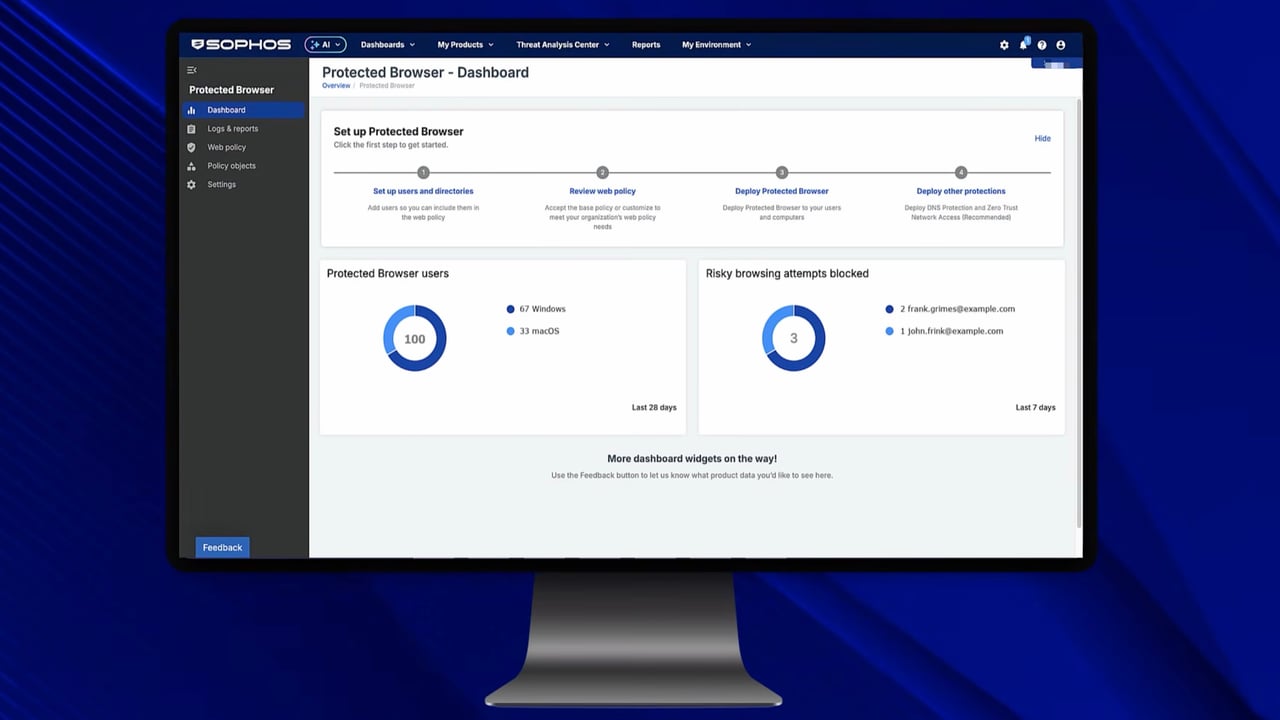
Protected Browser is a managed enterprise browser for SaaS services and internal web applications. Policies are configured in Sophos Fusion, formerly Sophos Central. There is a full browser for Windows and macOS, as well as an extension for supported Chromium browsers.
The two versions are not equivalent. The extension makes it easier to get started in an existing browser environment. Certain functions, including agentless RDP/SSH access and controls for screen sharing or recording, require the full browser. The product overview in our KB explains these differences.
Endpoint Protection remains responsible for protecting the device. A browser does not replace operating system updates, malware protection or security for other applications. Its value lies in additional rules for protected web sessions.
Which data actions can be restricted?
Web policies and data boundaries define which actions are allowed within specific applications. These include restrictions on file uploads and the exchange of data through the clipboard. Different profiles determine, for example, whether data must stay within defined destinations or may be pasted in from outside.
For an approved AI application, this makes a concrete difference compared with a blanket block: the service can remain accessible while file uploads or certain copy actions are restricted. The Safe AI Controls describe suitable options.
Controlling an action does not automatically mean understanding the business purpose of a text. “Spelling correction allowed, contract analysis prohibited” does not thereby become a reliably enforced content rule. An employee can also retype information manually. The actions actually prevented must be tested with the chosen profile and browser version.
An external project team is a useful example: it may use an internal web application but should not transfer files from it into its own services. If the required data boundaries work and the workflows remain usable, there is a demonstrable benefit. Installing another browser alone does not deliver that protection.
Can users simply bypass the browser?
Installing another browser does not establish a binding access rule. If the same SaaS application remains accessible without restrictions in personal Chrome or on an unmanaged device, the intended Protected Browser controls do not automatically apply there.
For selected SaaS applications, use of the full Protected Browser can be enforced. The documented approach integrates Microsoft Entra ID or Okta and a ZTNA data plane. With Entra ID, preparation includes P1, an appropriate SAML integration and Conditional Access. This is an additional integration, rather than a switch that automatically restricts every website to the protected browser.
A pilot therefore needs to pass two tests: approved access works in the intended browser, and alternative access to the same protected application is denied. A successful login alone checks only the first half.
What does it add alongside AI Defense and DNS Protection?
Sophos AI Defense brings detected AI use together and controls application access. Protected Browser adds controls within the web session. DNS Protection, meanwhile, operates at the level of the domains being requested. These products perform different tasks, even when used together.
Since the update on 21 October 2026, Protected Browser can also use DNS Protection directly for its own DNS requests. This integration is available only in the full browser, not in the extension. Browser and device controls therefore need to be deliberately coordinated. Blocking a domain at device level is not the same as a data boundary within an approved application.
The earlier update on 6 October 2026 added protection when entering business credentials on suspicious websites and additional data boundaries. Here too, the specific setting matters: a profile that explicitly permits screen sharing offers different protection from a stricter profile. A warning before data entry is also not an enforced block.
Licensing, deployment and ongoing work
Sophos Protected Browser is licensed per user as part of Sophos Workspace Protection. The package also includes ZTNA, DNS Protection and Email Monitoring System.
Licensing takes actual usage of the included products into account. A quotation requires the number of users, existing products and desired bundle. We do not give a blanket euro price here because we do not have a verified quotation for this combination.
Deployment includes distribution, sign-in, browser updates and exceptions for applications whose workflows are restricted. The deployment guide covers Intune and Jamf, among other options. In practice, I would start with one user group and a specific application, then test uploading, pasting, copying and access through an alternative browser. Reports then help assess usage and blocks.
When is Protected Browser worthwhile?
I would consider it where confidential data is regularly processed in web applications and existing controls only distinguish between allowing and blocking a service. The pilot must show which unwanted data action is additionally prevented and whether access to protected applications can be restricted to the intended browser.
Anyone who only wants to block a few AI websites should first use the existing Endpoint and Firewall functions. Anyone expecting intelligent assessment of every prompt or protection across arbitrary desktop and API applications will not get that through a browser policy. The reason to buy must be a control that is available today and effective in the organisation’s own workflow.
Frequently asked questions
Does Sophos Protected Browser replace Endpoint protection?
Can an AI chat be allowed while file uploads are blocked?
Is installation enough to make everyone use this browser exclusively?