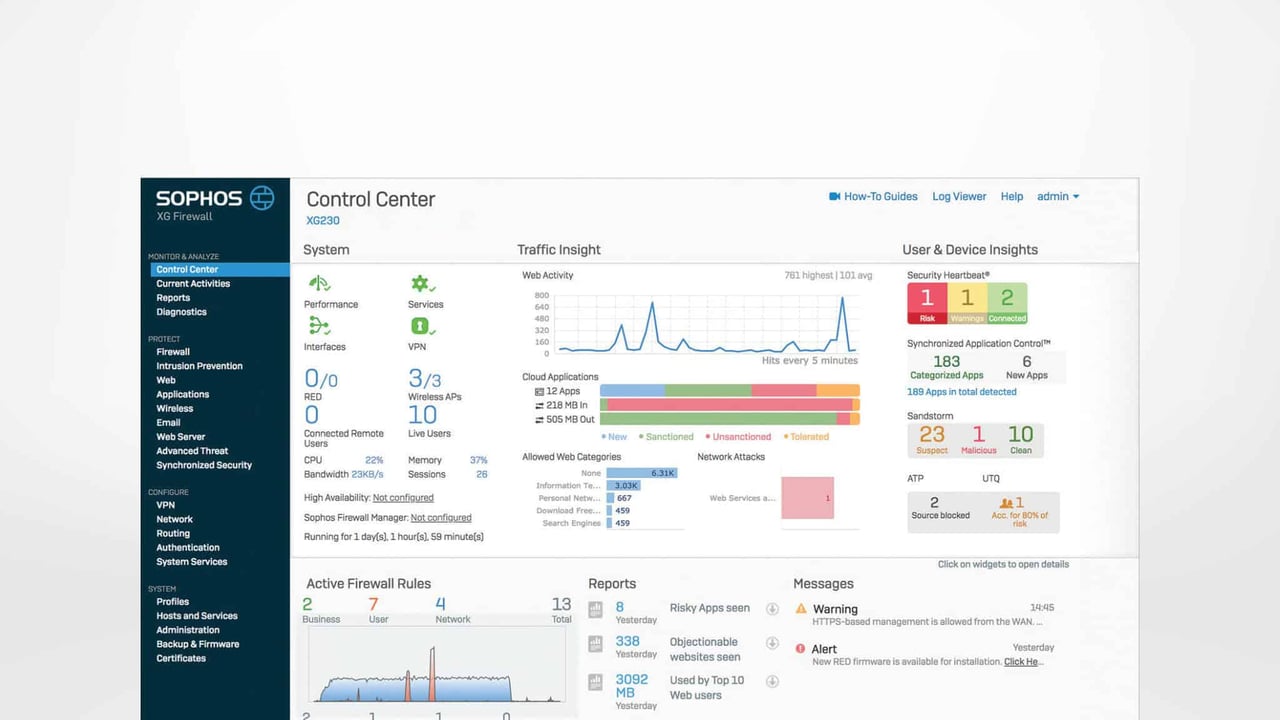
Sophos XG Firewall – New Features in v17.1
After a series of seven maintenance releases, Sophos has finally released an update with SFOS 17.1 that not only fixes bugs but also delivers new features. In this blog post we’ll summarize the most important enhancements.
New features in SFOS v17.1
Cloud Access Security Broker (CASB) – Cloud App Visibility

Sophos has set itself the goal of fighting shadow IT, and a new feature arriving with 17.1 turns the XG into a Cloud Access Security Broker (CASB) appliance.
In short, this feature gives you an overview of all cloud applications that are being used within your organization. The Cloud Access Security Broker makes it much easier for administrators to analyze traffic. The Cloud App overview shows how much upload and download traffic each application generates. You can then allow or block individual services for specific users or globally.
Synchronized Application Control
Synchronized Application Control was first introduced with version 17.0. You can read more in our earlier post: Sophos XG Update v17: All new features at a glance. With v17.1 this feature has been further improved: a search function and filters make it easier to manage the often very long list of apps installed on users’ machines. Application categorization has also been refined, and you now have the option to remove irrelevant applications from the list entirely.

Email Protection improvements
- Users can now manage their own blacklists and whitelists for email addresses or domains in the user portal.
- You can create exceptions for domains or email addresses so that, for example, messages from those senders are not submitted to Sandstorm.

Firewall improvements
- Rule management has been improved to increase flexibility and streamline administration even further. You can now open a firewall rule with a double-click to edit it more quickly.
- Google’s QUIC protocol can now be blocked easily. This ensures that traffic is inspected, since the connection then falls back to TCP. We’ve already covered QUIC in a KB article: Sophos Firewall and the QUIC protocol
- Additional flexibility has been added when defining ACL exceptions, for example to restrict access to services such as the user portal to a single alias only.
Wireless improvements
You can now adjust the channel width of access points and the RADIUS settings directly in the user interface.
SSL VPN port option
One of the most frequently requested features was the ability to change the default port for SSL VPN connections, just as on UTM. This is now possible with 17.1.
The roadmap is on track
With v17.1, several issues we previously had to live with are finally being resolved.
We haven’t implemented any new projects based on UTM for quite some time. We are fully committed to the XG generation and can see how the firewall OS gets a little better with every update. Right now there are very few reasons why we wouldn’t recommend XG over UTM. We will, however, probably have to continue living with the occasional workaround and bug.
If you’re running a Sophos SG firewall and would like to switch to SFOS, you can do so at any time at no additional cost. We’ve written a KB article that walks you through the process: Install Sophos XG Firewall OS on an SG appliance.
Learn more